Foundation Rebar
The Foundation Rebar plugin automates the creation and configuration of reinforcement in concrete foundations in Autodesk Revit. After launching it from the Jacobian Dev tab, you can configure top and bottom reinforcement, preview the arrangement, then create or update reinforcement directly in the model.
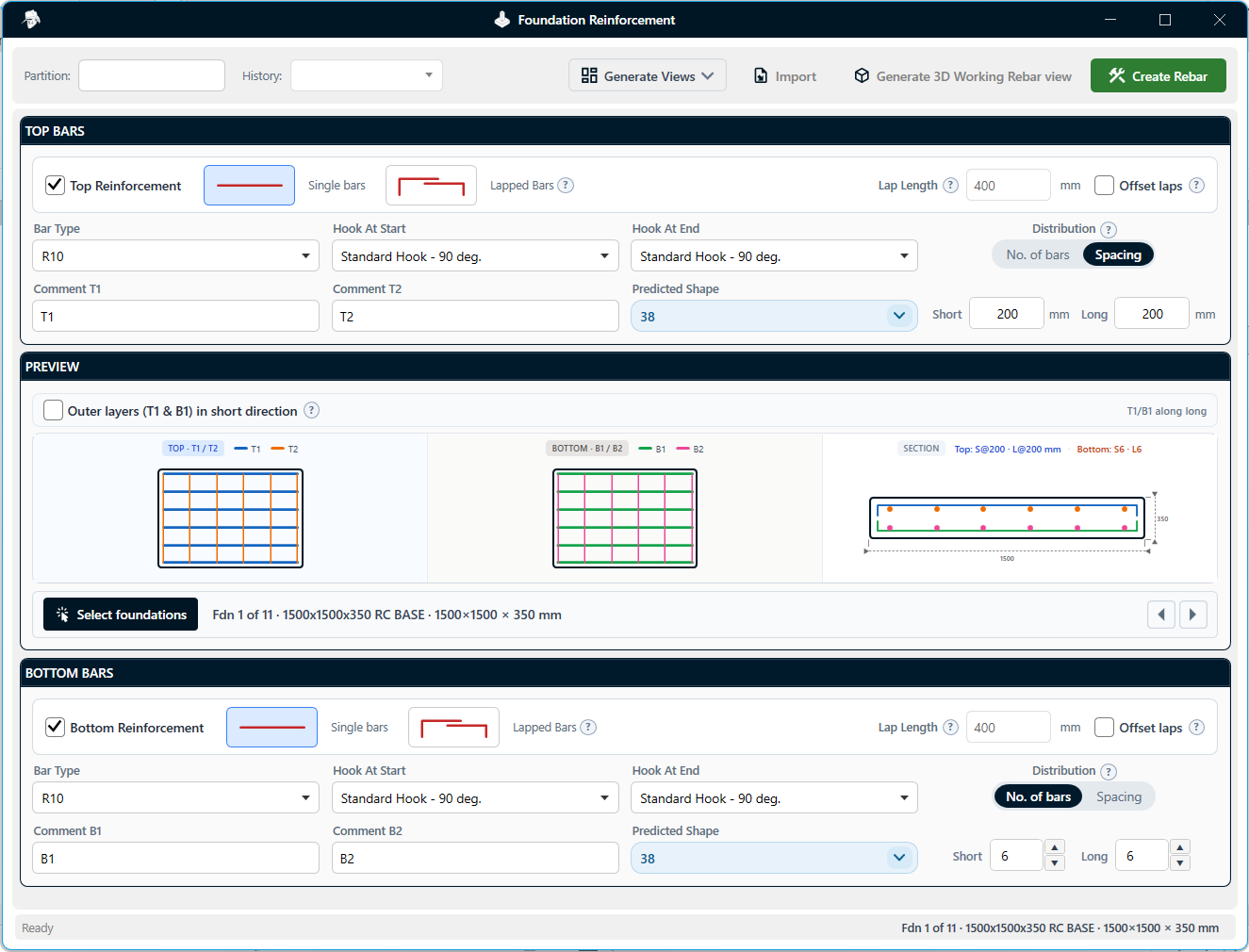
Figure 1.1: Foundation Rebar plugin — configure top and bottom bars and preview the arrangement before creating reinforcement
Features:
-
Select and cycle foundations
- Select a single foundation or multiple foundations in the model, then cycle through them individually to review and update the reinforcement configuration for each one.
-
Top and bottom reinforcement
- Configure top and bottom bars as single or lapped bars, set the lap length, and choose whether lapped bars are offset so they touch instead of stacking.
-
Distribution and outer layers
- Distribute bars by number of bars or by specified spacing. Optionally place the outer layers (T1 and B1) along the short side of the pad.
-
Dynamic preview
- A live preview in the centre of the window shows the top, bottom, and section views of the reinforcement and updates as you change the configuration.
-
Plan, section, and 3D views
- Automatically create the required plan and section views for review and documentation. You can also generate a dedicated 3D rebar view with preset view settings.
-
Bending schedule template
- Choose which bending schedule template the plugin should use so output follows the project's existing documentation standards.
-
Create and update rebar
- Create reinforcement directly in the Revit model, then update Jacobian-created reinforcement without removing and recreating it — for example to change the number of bars or the shape of the top reinforcement. The plugin remembers the settings used for each set, so you can return to those configurations when the design changes.
-
Rebar settings
- Switch between shape-driven creation (hooks built into the rebar shape) and separate hooks. Configure which rebar shapes and shape codes are loaded into the project.
Video Demonstration
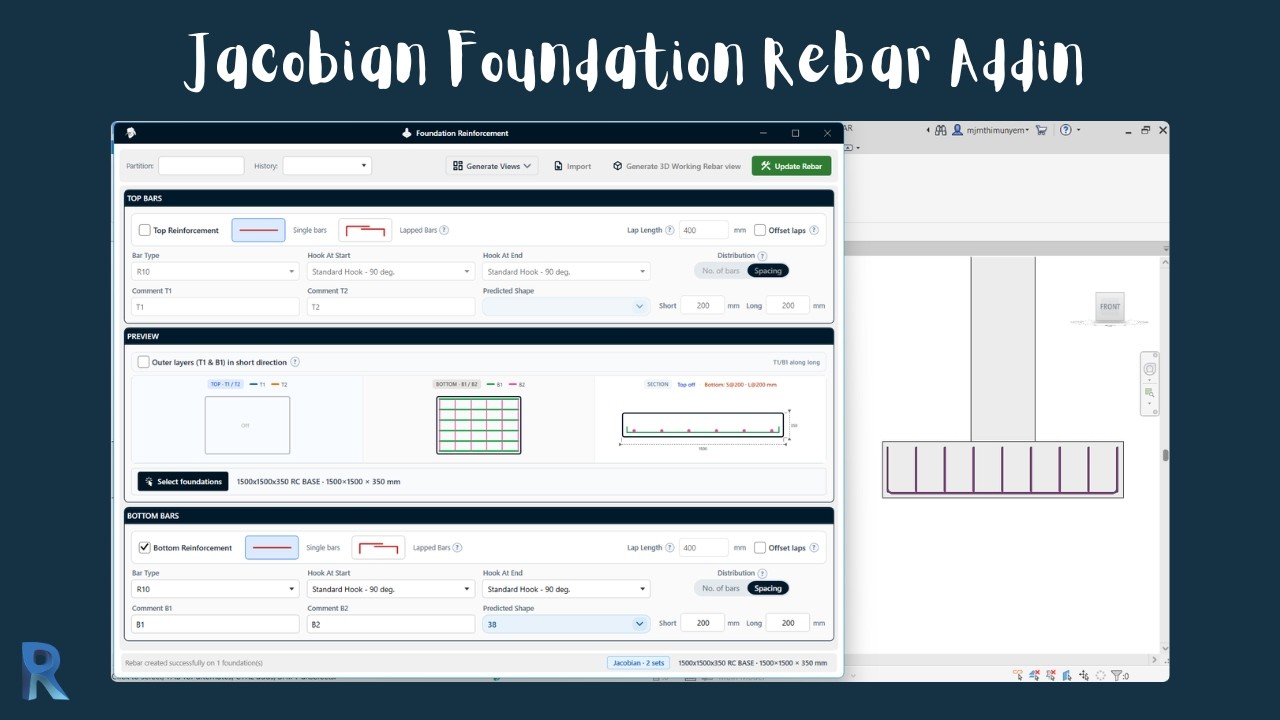
Watch the video below to see how the Foundation Rebar plugin works:
Download Plugin
Anyone can download the plugin and use it for 30 days. After that, you need to be a YouTube member to continue using the plugins.
All versionsRevit 2025 · one installer includes every plugin
- v1.0.4Latest18 Nov 2026 · 29.7 MB · Adds Wall Rebar.
- v1.0.34 Nov 2026 · 29.0 MB · Adds Foundation Rebar.
- v1.0.220 Sep 2026 · 13.7 MB · First public release.
For Revit 2025.